What to know before downloading the Price Snap App
In this post we will discuss what you will need to know and do in order to have a good experience with the Price Snap App. We will discuss the android device, scanner, printer, label types and the app itself.
Bobak Seyedgavadi | Gavid Development LLC
6/14/20263 min read
Step 1: The Android Device
Summary: You will need an Android device with a small screen
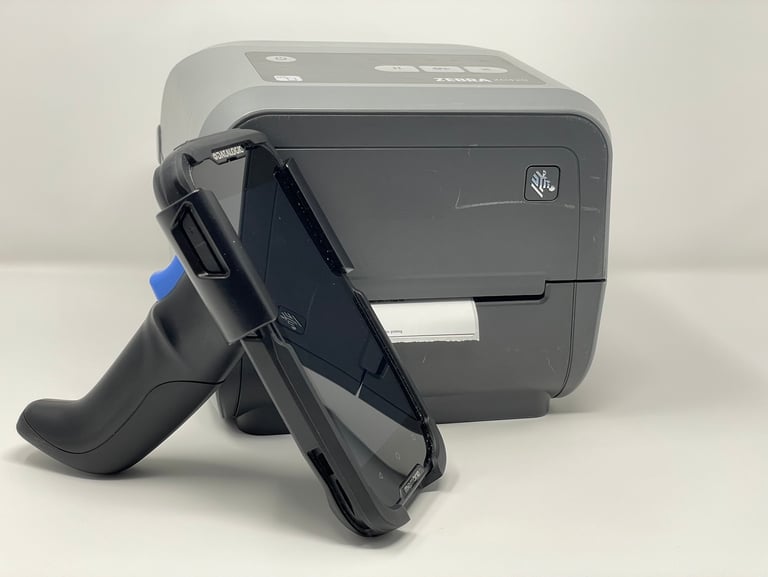
Any small screen Android device will be compatible with the Price Snap application. If you happen to have a tablet around the house, please note the app was note designed for a large screen. To avoid any frustration lets keep the screen size small like a personal phone or a handheld computer scanner from Datalogic, Zebra or other similar device you may be using or looking to purchase.
Step 2A: Zebra Printer
Summary: Zebra Printer must have Wi-Fi and Bluetooth OR have an Ethernet LAN module to connect to your local home/business network. Your device and printer must be on the same network.
Click here for options on where and how to purchase a Zebra printer. (Coming Soon)
Click here to learn how to connect your Zebra Wi-Fi printer using Zebra Setup Utilities (Coming Soon)
Choosing the right printer will definitely shape your experience of the application and the need of your business. The Price Snap app is designed to work with Zebra Printers. These printers such as the ZD420 or ZD421 Direct Thermal printers are compact and efficient at printing out labels quickly without the need for any type of ribbon or ink.
When choosing your Zebra printer, it must come with Wi-Fi and Bluetooth or an Ethernet LAN Module! These printers are available in different configurations for different business needs and I cannot say this enough… the Zebra printer must come with Wi-Fi and Bluetooth or an Ethernet port to hard wire your printer to your network. If you need help please ask us! (Please do not use a USB only printer. It won’t work… we tried)
Step 2B: Other Printers
The Price Snap app will connect and print to a standard Wi-Fi home printer such as an inkjet or laser printer. The label will be printed on standard 8.5” x 11” letter size sheet of paper with a cutout guide. You will need to manually cutout the label to size to match your label holder or shelf guide. This option is available if you would like to test the Price Snap app and its printing function without investing in a dedicated Zebra printer.
Step 3: The Scanner
If you use or buy a Handheld computer from Datalogic, Zebra or other similar device, then these devices typically have a built in scanner and you will not need to purchase a separate Bluetooth scanner.
If you do need to purchase a Bluetooth scanner, then there are many options available on the market. These are the key features you will need to make your life easier:
Decode all 1D and stacked barcodes
Scan 1D codes directly from paper or computer or phone screen
Scan 1D codes through glass surface or plastic shrink wrap
Compatible with Android Device, Support HID / SPP / BLE mode via Bluetooth
Examples of 1D codes are UPC-A & UPC-E or EAN-13 & EAN-8
We have tested this Netum NT-1228BC scanner and we had a good experience. This is not an affiliate link
Step 4: Label Type
We are not affiliated with OnlineLabels.com, but this is a great starting point to finding the label size and type that will best fit your needs. You can buy as little as a single roll and not be committed to buying an entire case of labels.
We suggest buying either a 1.5”x1.0” or 2.0”x1.0” label size with a 1” core to start with. These are both very good options and will fit most shelf guides and label holders. They offer several different label types. From our experience the “Weatherproof Direct Thermal” label is great for areas the that may get wet or dirty. You can easily clean and wipe these labels. The adhesive for this label is strong and will stick to many different surface types. If you try to remove the label please be aware that the sticker residue may remain on your surface. The other option to consider is the “Removable Direct Thermal” label. As the name states these labels can be removed without leaving a residue on your surface. Please note we have not tested how much sticker residue will remain if the label is in place for a long period of time. Either of these two labels are a great place to start!
Step 5: The Price Snap App
You have purchased your Android device, printer and scanner! Now you are ready to download and test the Price Snap app!
Price Snap is a product of Gavid Development LLC
951-365-5668
Contact Us Privacy Policy
Email Us Refund Policy